Friends Overview
In the Friends tab you'll find all the people you share expenses with. At a glance you can see who owes you money and whom you still owe.
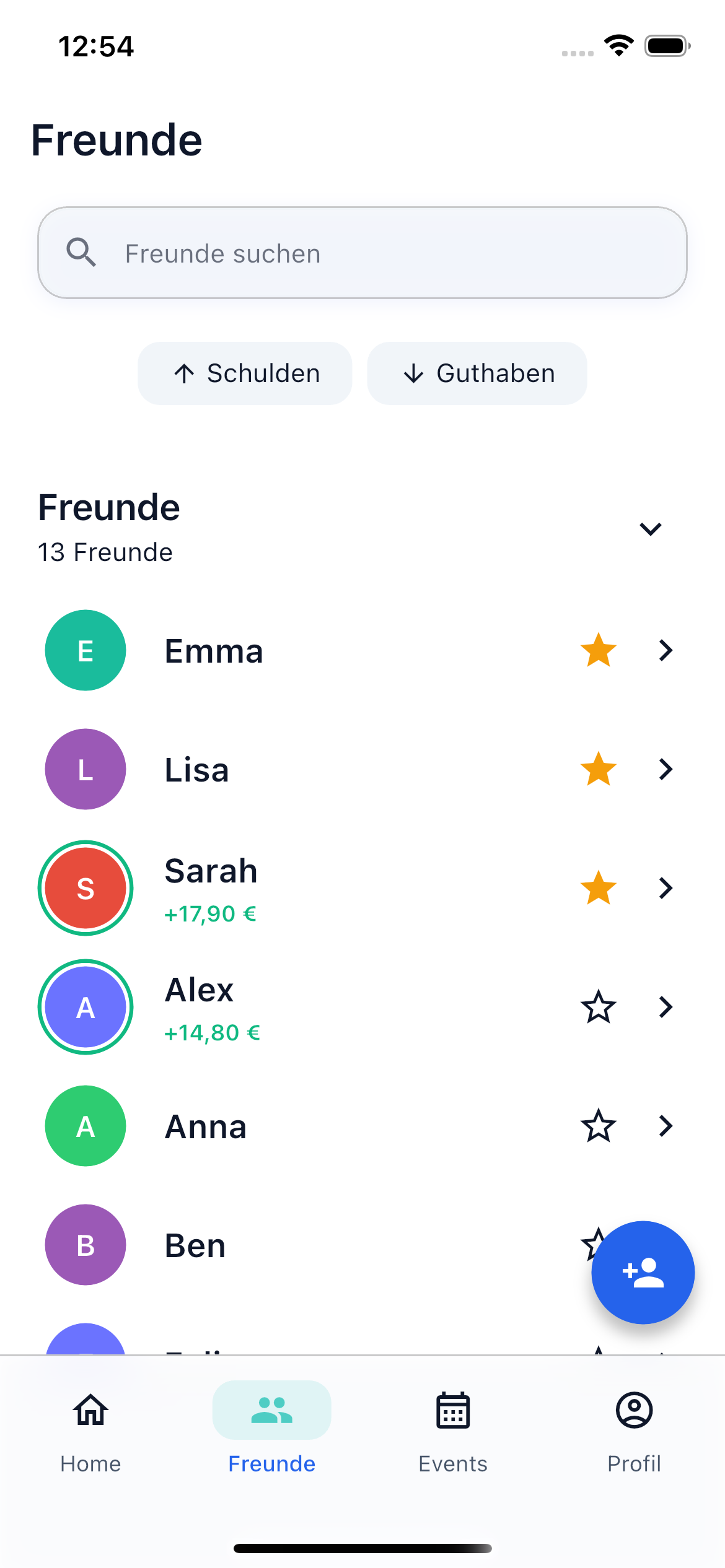
Friends List
The friends list shows you all your friends with their current balance:
- Green amount — This friend owes you money
- Red amount — You owe this friend money
- 0.00 EUR — All debts are settled
Filter Chips
Above the list you'll find filter chips to narrow down the view:
- Debts — Shows only friends you owe money to
- Credits — Shows only friends who owe you money
Search Friends
Use the search bar at the top of the friends list to quickly find a specific friend. The search filters in real time by name.
Add Friends
Via the Add Friend button at the bottom right you can add new friends — via QR code or invitation link.
Invitations
Open friend requests are displayed directly in the list. There you can:
- Accept request — You'll be connected as friends immediately
- Decline request — The request is dismissed
New invitations are also shown via push notification, if you have notifications enabled.
Friend Detail Page
Tap a friend in the list to open the detail page. There you'll find:
- Balance Card — The current net amount between you, with direction indicator (you owe / you're owed)
- Open Positions — Expandable overview of all open positions, grouped by bill
- Shared Bills — List of all bills that concern both of you
Actions on the Detail Page
Depending on the balance, different buttons are available:
- Pay Now (red) — When you owe the friend money
- Payment Received (green) — When the friend owes you money and you want to confirm the payment
- Request Payment — Remind your friend of an open debt
You can also mark a friend as a favorite or end the friendship.
Next Steps
-
Add Friends
Connect with friends via QR code, search, or invitation link.
-
Settle Debts
Settle open amounts with a friend.