Settle Debts (Settlement)
When debts have accumulated between you and a friend, you can settle them with just a few taps. SplitHappens automatically calculates the optimal amount.
How Settlement Works
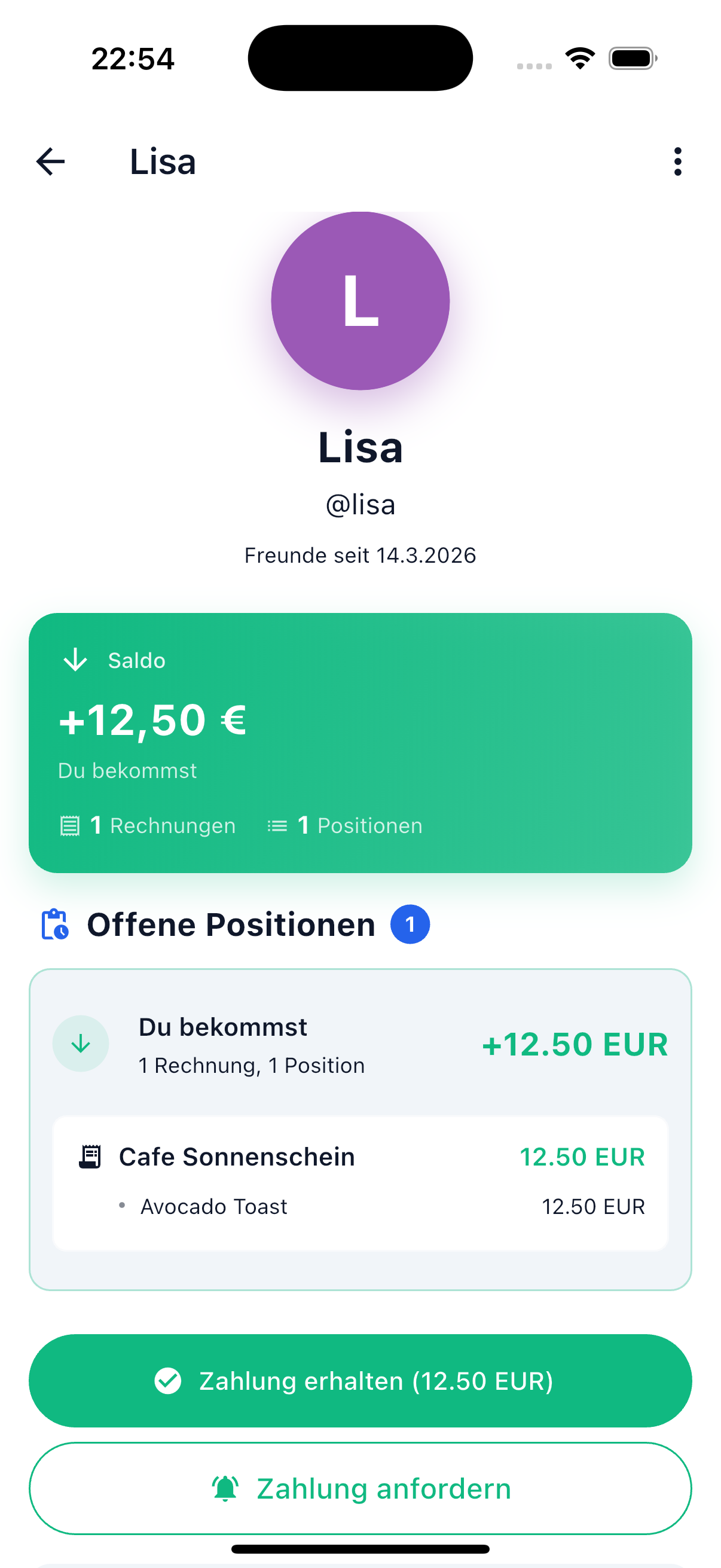
- Open the Friends tab and tap the friend you want to settle with
- On the detail page you'll see the current balance and all open positions
- Tap the appropriate button:
- Pay Now (red) — When you owe the friend money
- Payment Received (green) — When the friend has already transferred money to you
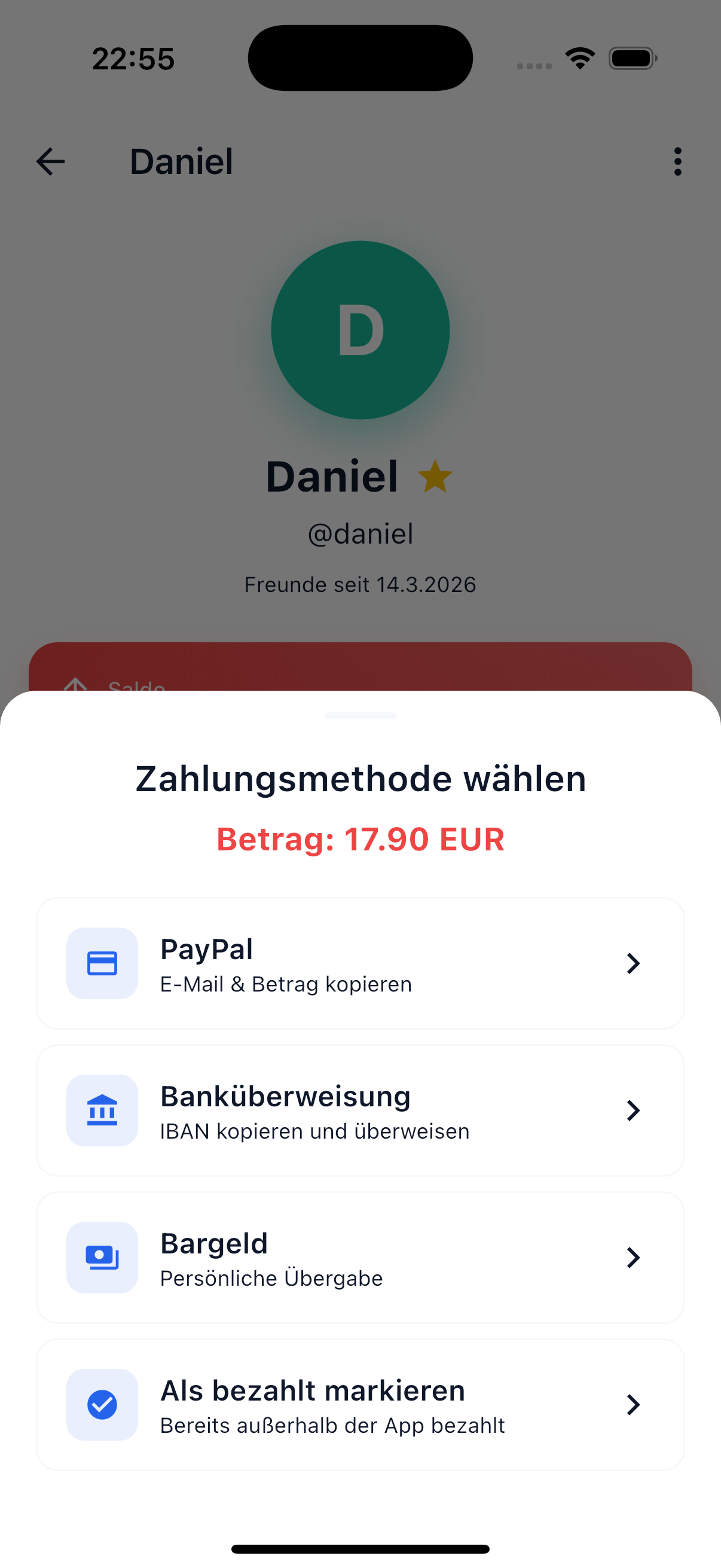
- A sheet opens with the available payment methods
- Choose a method and confirm the payment
- All open positions are marked as settled
Smart Net Offset
SplitHappens automatically offsets all open bills between you and your friend against each other. This saves transactions and is fairer.
Example:
| Bill | You Owe Sarah | Sarah Owes You |
|---|---|---|
| Restaurant | 30.00 EUR | — |
| Cinema Tickets | — | 10.00 EUR |
| Net Result | You pay 20.00 EUR |
Instead of making two separate transfers, you only pay the difference once. The system considers all open bills between you — not just the latest one.
Payment Methods
When settling, choose how you want to pay:
| Method | Description |
|---|---|
| PayPal | Your friend's PayPal link is opened (if provided) |
| Banking App | IBAN and account holder are shown — you transfer yourself |
| Cash | For settling in person |
| Mark as Paid | When you've already paid through other means |
Important
SplitHappens does not process actual payments. The app tracks who owes whom and marks payments as completed once you confirm the settlement. The actual transfer is done by you, e.g., via banking app.
Request Payment
If a friend owes you money and hasn't paid yet, you can remind them:
- Open the friend's detail page
- Tap "Request Payment"
- Your friend receives a notification with the open amount
Undo Settlement
How To
You can undo a settlement per position. Swipe a settled position to the left — then choose between "Mark as Unpaid" (position stays assigned) or "Release" (position is fully released). The bill status adjusts automatically.
No Partial Amounts
With friend settlement, the entire calculated net amount is always settled at once. It's not possible to settle only individual positions. For more flexible partial payments, use Event Settlement, which supports manual transactions with any amount.
Multi-Currency
If you have bills in different currencies, SplitHappens automatically converts:
- Amounts are converted to each user's default currency
- Exchange rates come from the Fawazahmed Currency API and are cached for 24 hours
- Net offset is calculated after conversion — everyone sees amounts in their own currency
Example
You have bills in EUR and CHF. Your default currency is EUR. SplitHappens automatically converts the CHF amounts and shows you the net balance in EUR.
After Settlement
Once you've confirmed the settlement:
- All affected positions are marked as settled (permanently locked)
- Affected bills are marked as completed
- The balance between you is reset to 0.00 EUR
- Settled bills remain visible in the history
- Your friend receives a notification about the settlement
Related Topics
- Friends Overview — Manage your friends list
- Event Settlement — Settlement within events