How it works Features Screenshots FAQ Help Deutsch App Store Google Play
iOS & Android — available worldwide

Split with friends.
Simply fair.

The AI reads the bill from a photo, everyone taps what they had and pays exactly that. For trips and shared homes, a group keeps every expense in one place and tells you at the end who pays whom.
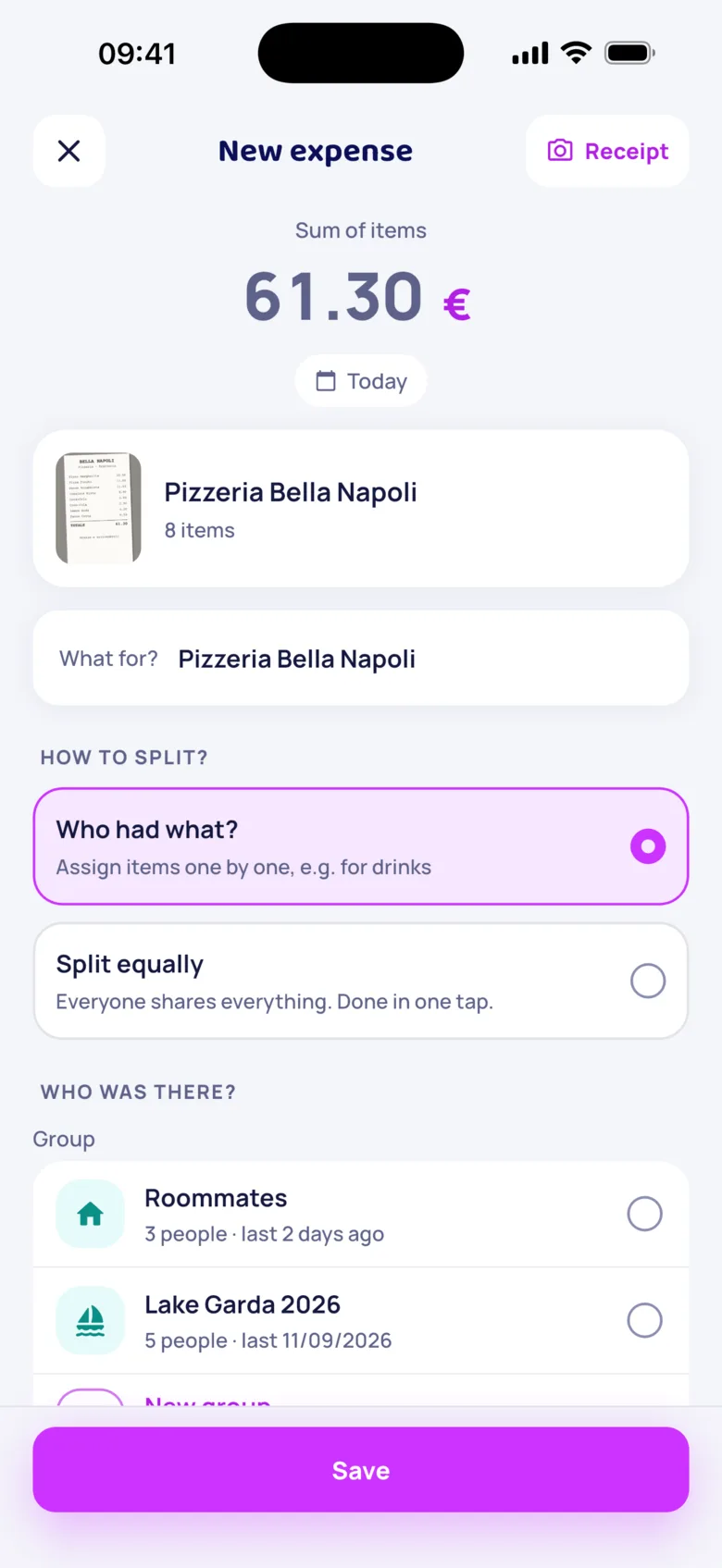
SplitHappens: split a bill by item

Fair settlement in three steps

From a photo of the bill to settled up in a few seconds.

1

Scan the bill

Take a photo and the app picks up items, prices and the tip. No bill? Just type in the amount and split it evenly.

2

Tap what you had

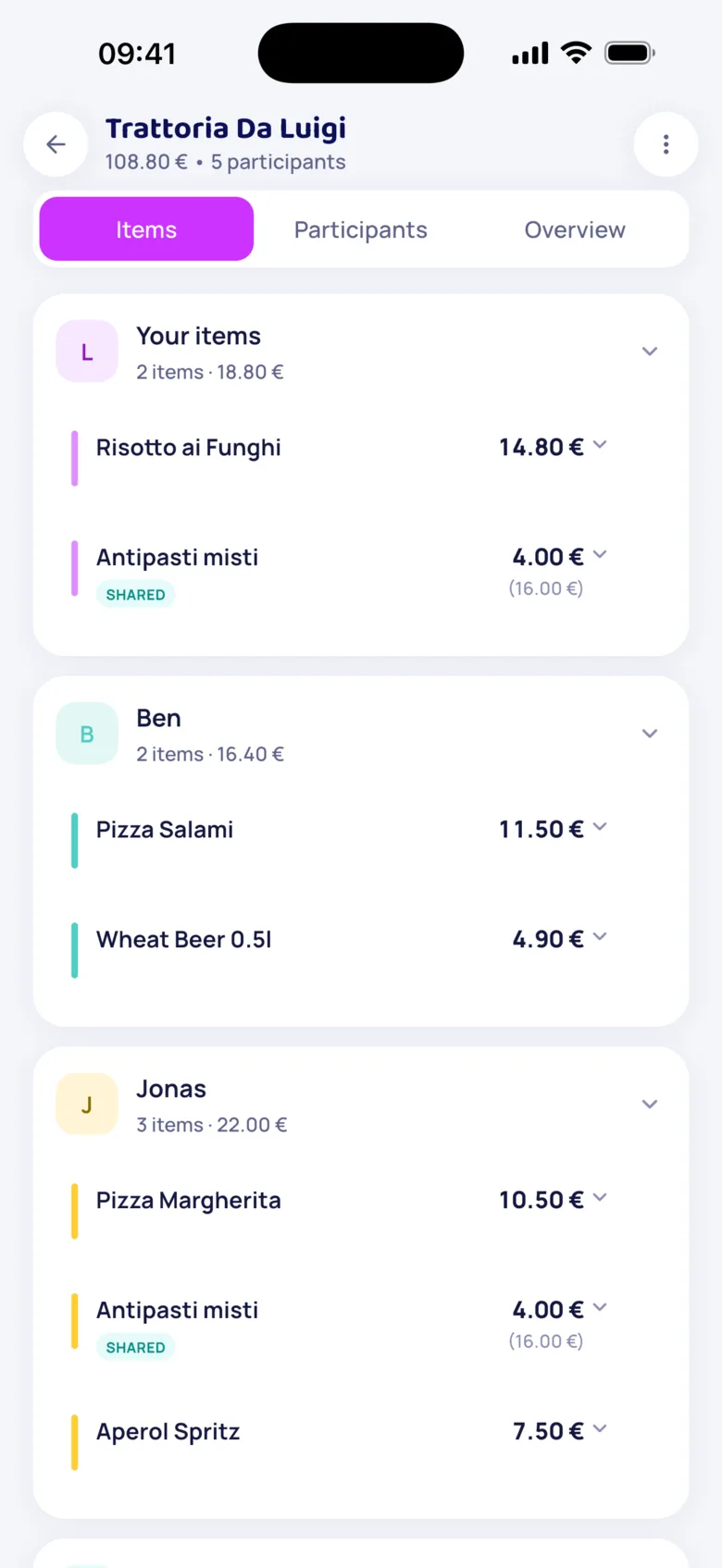
Everyone taps what they had, or you assign the items yourself. Everyone sees it live on their own phone.

3

Settle up in one tap

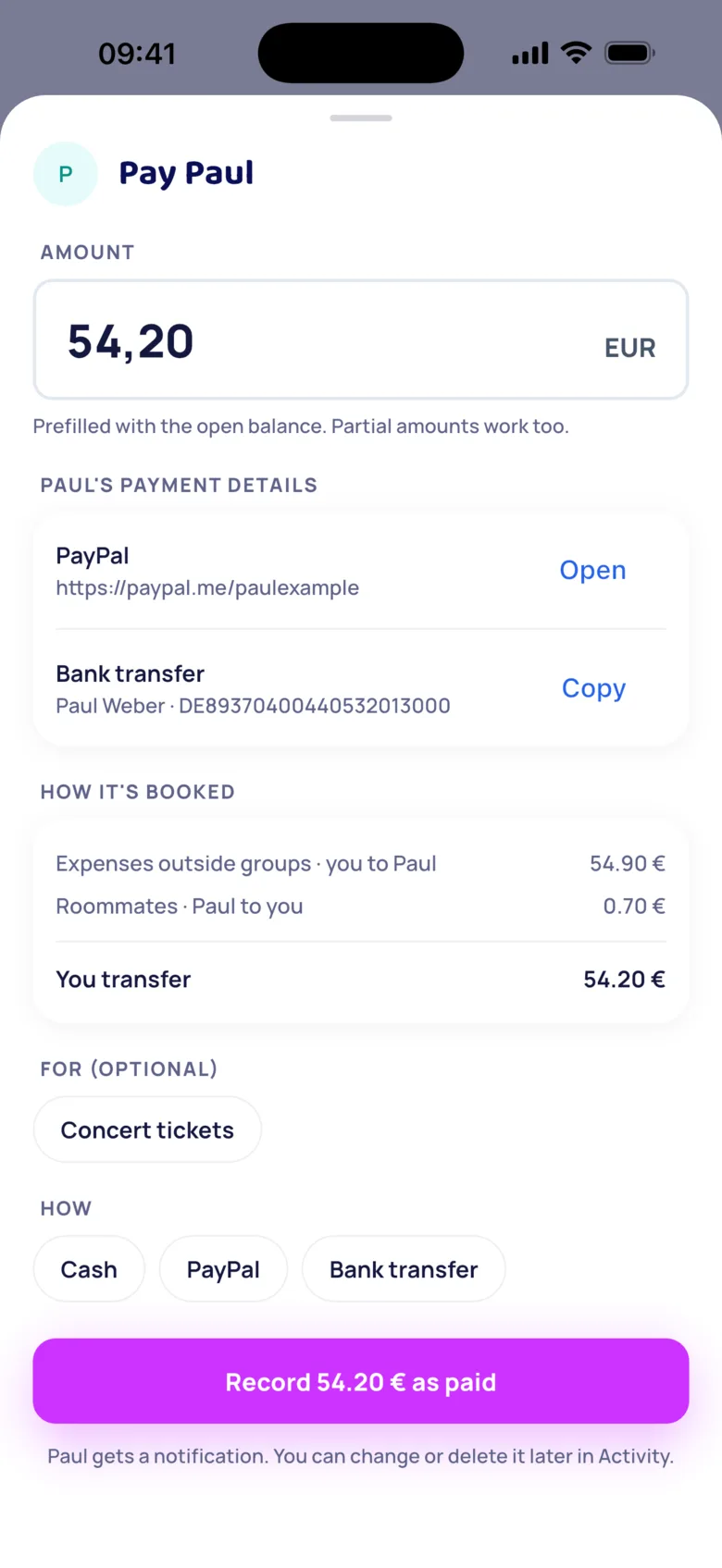
The app tells you who pays whom. The other person's PayPal or bank details are right there.

Everything you need

From the restaurant bill to the group kitty on holiday.

AI Receipt Scanning

Take a photo of the bill and the AI picks up items, prices and the tip. If the items don't add up to the total, it tells you. Anything it gets wrong, you fix with a tap.

Learn more →

Groups for Trips and Roommates

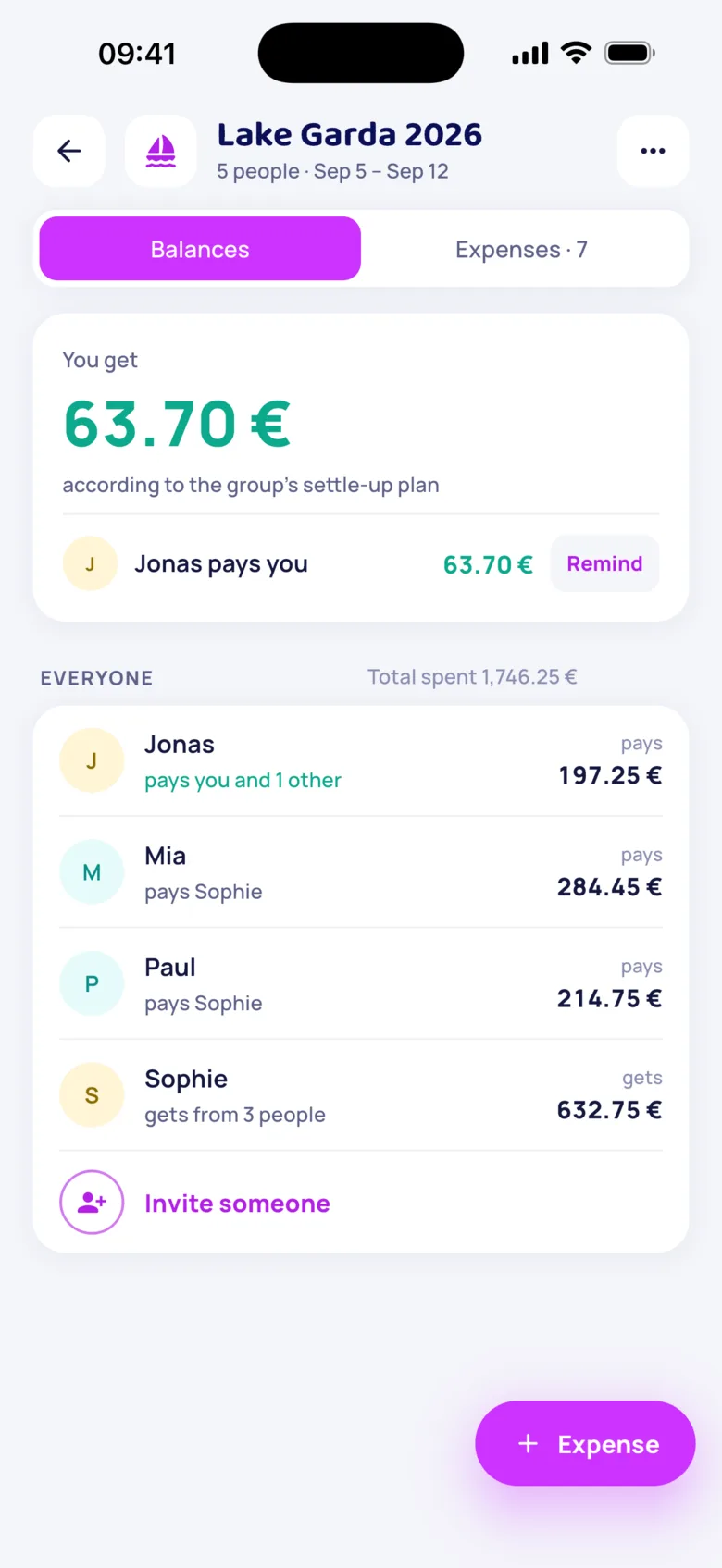
Trips, shared homes, pub nights or club outings: create a group, bring friends in by link or QR code and collect every expense there, whoever paid. At the end, the app shows who pays whom.

Learn more →

Live for Everyone

Tap items, edit expenses, log payments: everyone sees every change within seconds on their own phone.

Who Owes Whom?

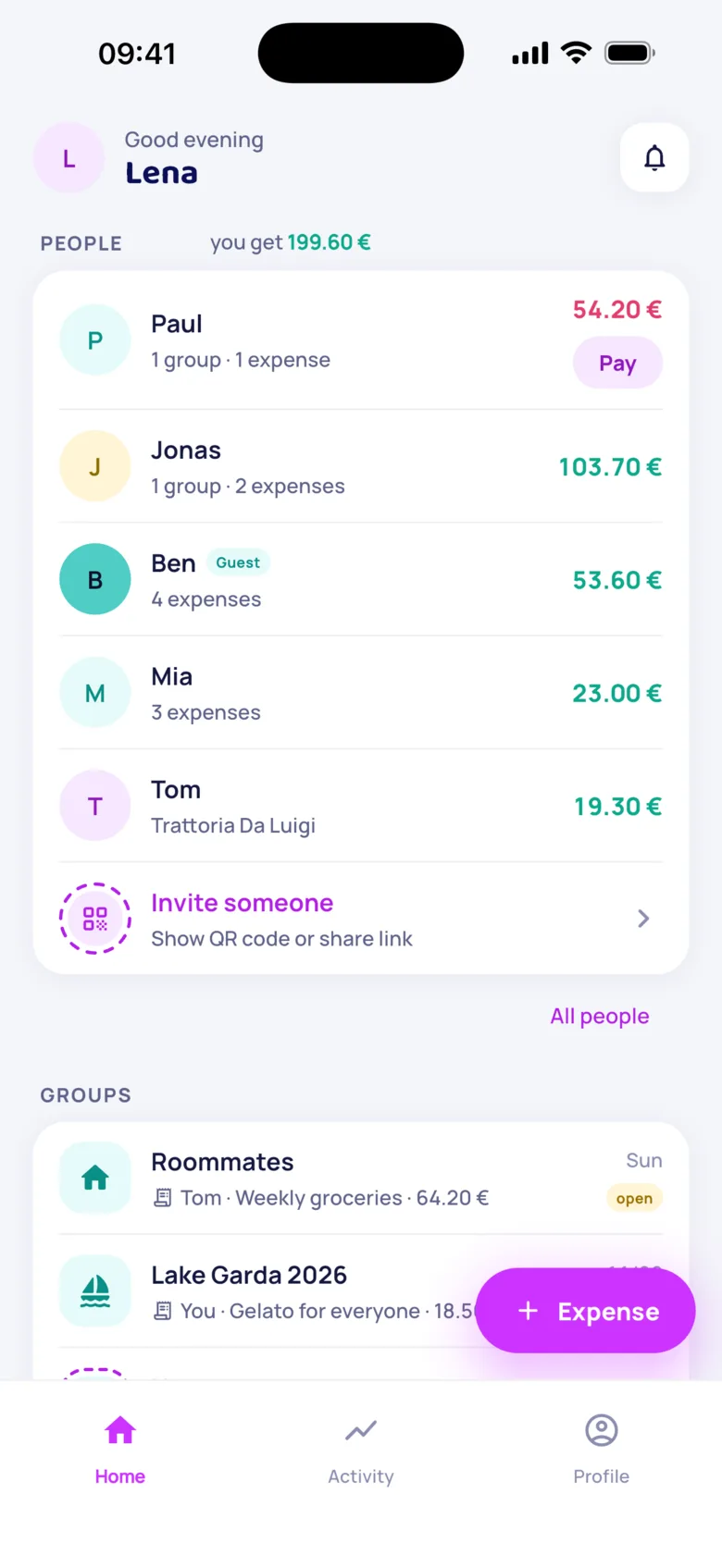
Your home screen lists each person once, with what's open between you. Group expenses and one-off expenses are netted against each other, so you need as few transfers as possible.

Learn more →

Multiple Currencies

Add expenses in more than 30 currencies, on holiday or with friends abroad. The app converts them for you at daily rates.

Learn more →

GDPR Compliant

Your data is stored on our own server in Germany. No ads, no ad tracking. Crash reports and anonymous usage stats can be switched off in settings.

Guests Don't Need the App

Anyone without the app joins by name. After saving, send each guest their share as a message. The link shows them what's still open in the browser.

Learn more →

Split Items Fairly

Share the starter for two or the bottle of wine across the table, evenly or with your own amounts. The tip can be spread across everyone based on what they had.

100% Free

No ads, no in-app purchases, no subscription. Every feature for everyone.

The app in action

Modern interface, intuitive design – for iOS and Android.

Split a bill by item, everyone pays only for what they ordered
Pay only for what you ordered
Scan a receipt, items are recognized automatically
Scan the receipt, done
Overview of who owes whom
Who owes whom? At a glance
Shared group expenses for trips and roommates
Trips, roommates, group expenses
Settle up with PayPal or bank transfer
Settle up in one tap

Frequently Asked Questions

Everything you need to know about SplitHappens.

What is SplitHappens?
SplitHappens is a free app for splitting shared expenses fairly. Whether it's a restaurant, a trip, a shared home or a club outing, the app works out who owes whom and nets everything so you need as few transfers as possible.
Is SplitHappens really free?
Yes. No ads, no in-app purchases and no subscription. Every feature is available to you right away.
How does the automatic receipt scanning work?
Take a photo of the bill with your camera or pick an image from your gallery. The AI picks up items, prices, the tip and the total. You check everything before saving and can change any line.
Can I split costs with people who don't have an account?
Yes. Guests join any expense or group by name, with no app and no sign-up. You send them their share as a message with a link. If a guest creates an account later, their expenses come with them.
Which receipts are recognized?
It works best with restaurant bills and grocery receipts. Handwritten or badly crumpled receipts aren't always recognized. Then you fix things by hand or just enter the amount.
Does SplitHappens process real payments?
No. SplitHappens works out who owes whom. You pay outside the app, by bank transfer, PayPal or cash. Then you log the payment with one tap and the other person gets notified. If you add your IBAN or PayPal to your profile, your friends see it right when they pay.
Where is my data stored?
On our own server at Hetzner in Germany, GDPR compliant. No ads, no ad tracking, no selling of data. Crash reports and anonymous usage stats can be switched off in settings. An expense is only visible to the people involved in it.
How does a group settle up at the end?
Everyone adds what they paid to the group. The app nets everything and shows who pays whom, with as few transfers as possible. Instead of six separate payments between four people, three are often enough.

All questions and answers →

Free. No catch.

Free, no ads, no subscription. Get the app on the App Store or Google Play and split your next bill in a few seconds.

Want to support development? Buy me a coffee ☕

Questions? info@splithappens.io